Vocabulary, history, exam terms — anything you need to memorize.
Learn what you want, the way you want.
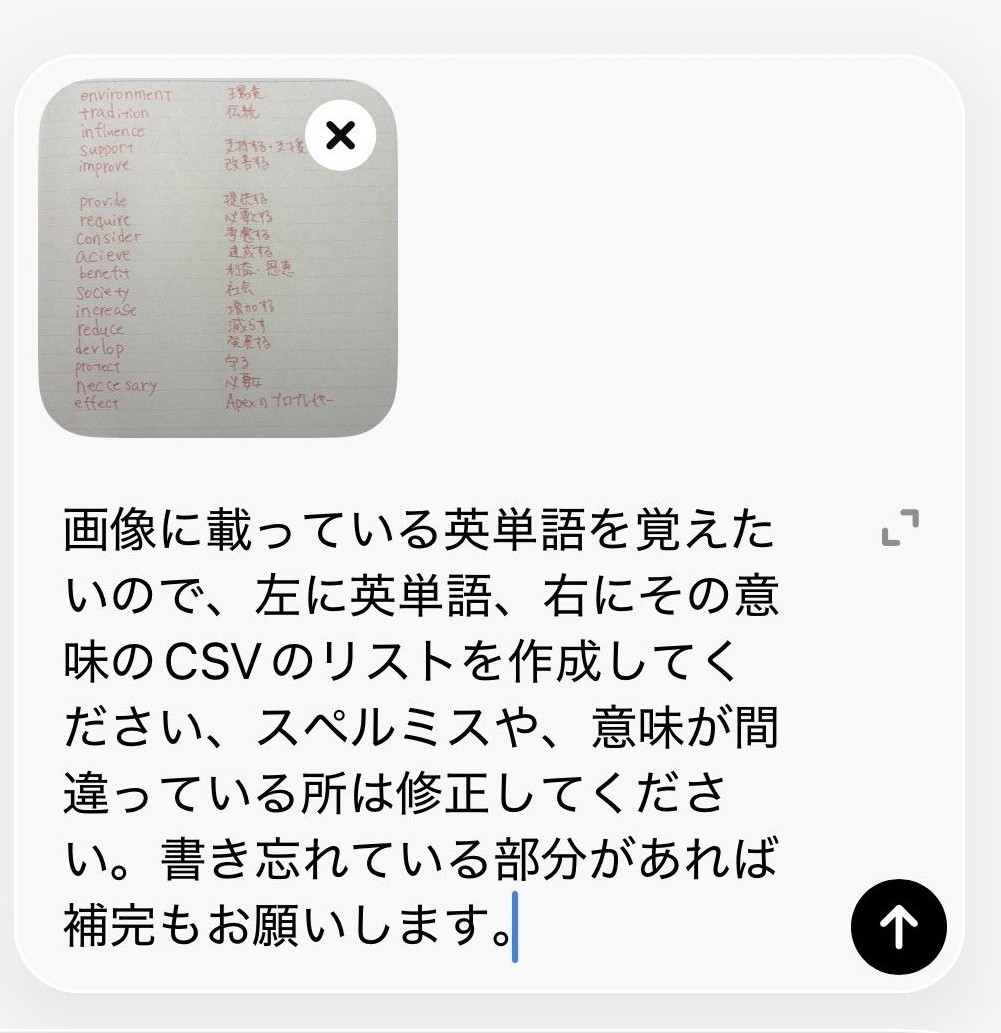
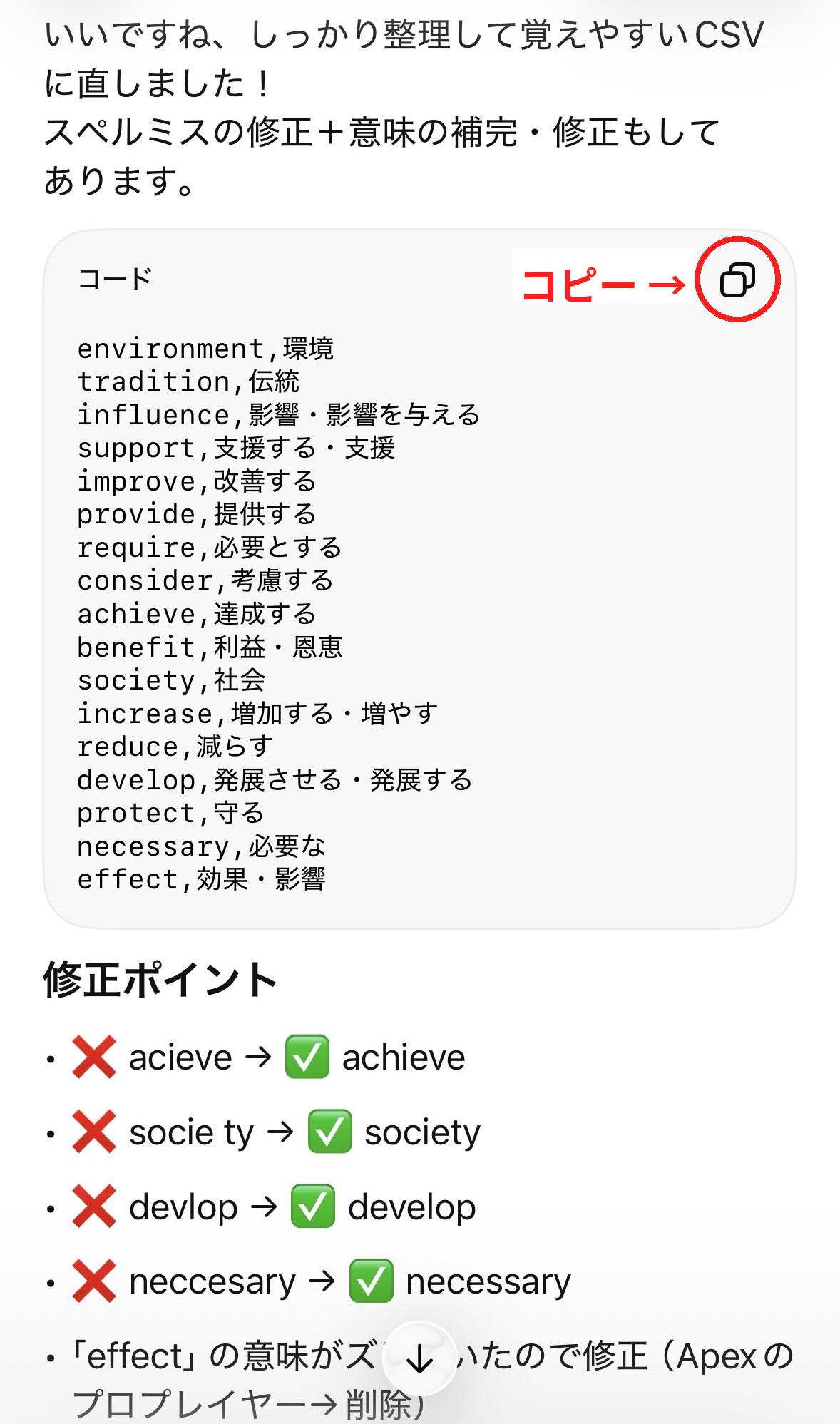
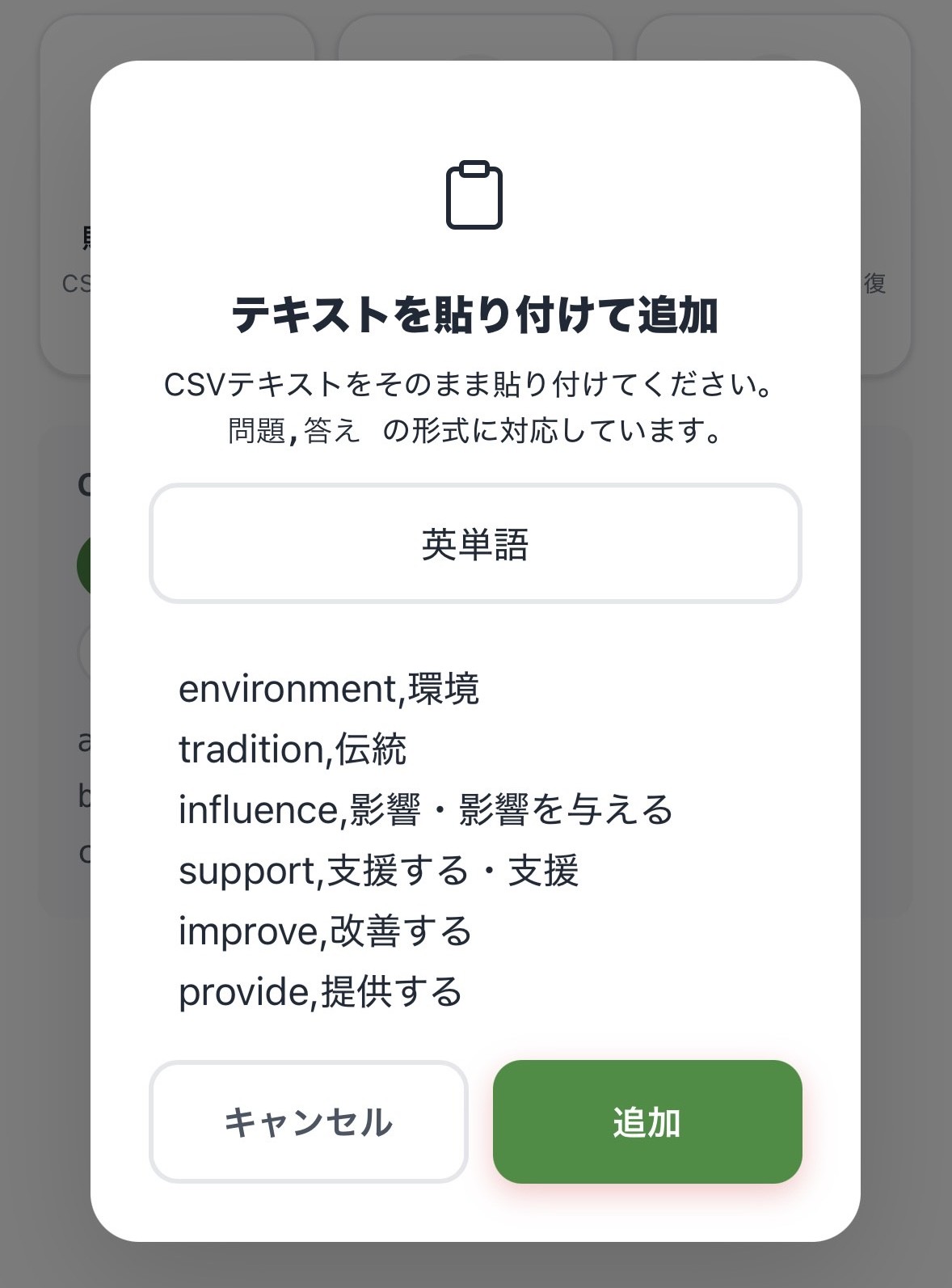
Send a photo of your notes to ChatGPT or Gemini, get a CSV back, paste it into CSVocab. No typing — your own deck is ready.
Use whichever AI tool you already have
Spelling and missing meanings? Handled.
Just copy, paste, and tap "Add"
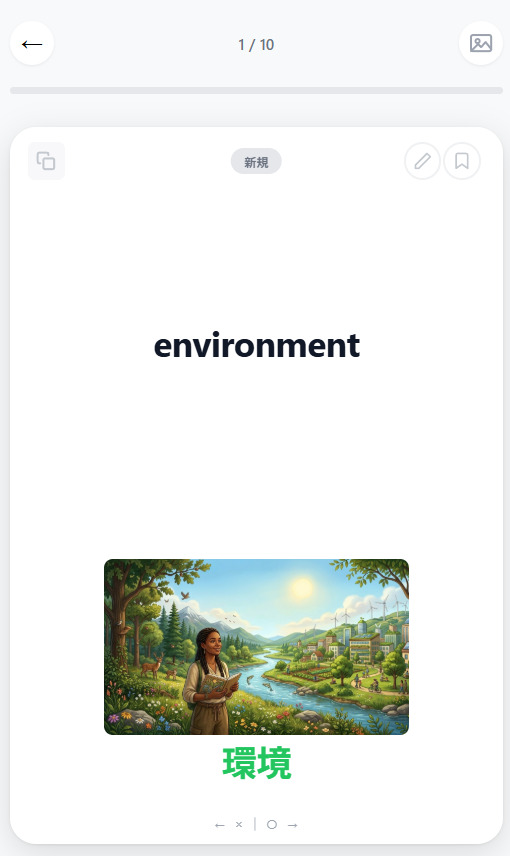
Attach a photo, hear it spoken aloud
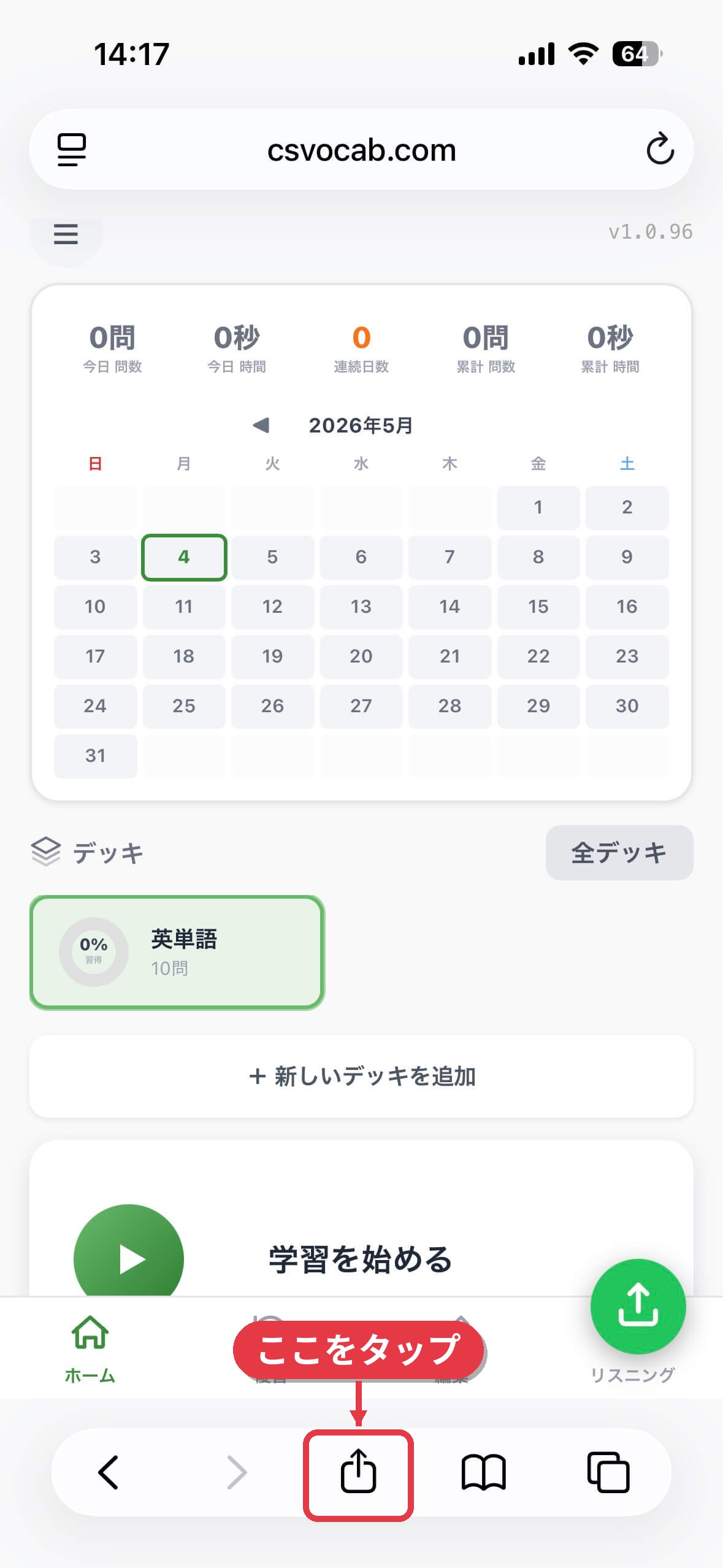
CSVocab is a web app — nothing to install from an app store. Add it to your home screen and it launches like a regular app, without opening the browser.

Open csvocab.com/app in Safari, then tap the Share button at the bottom.

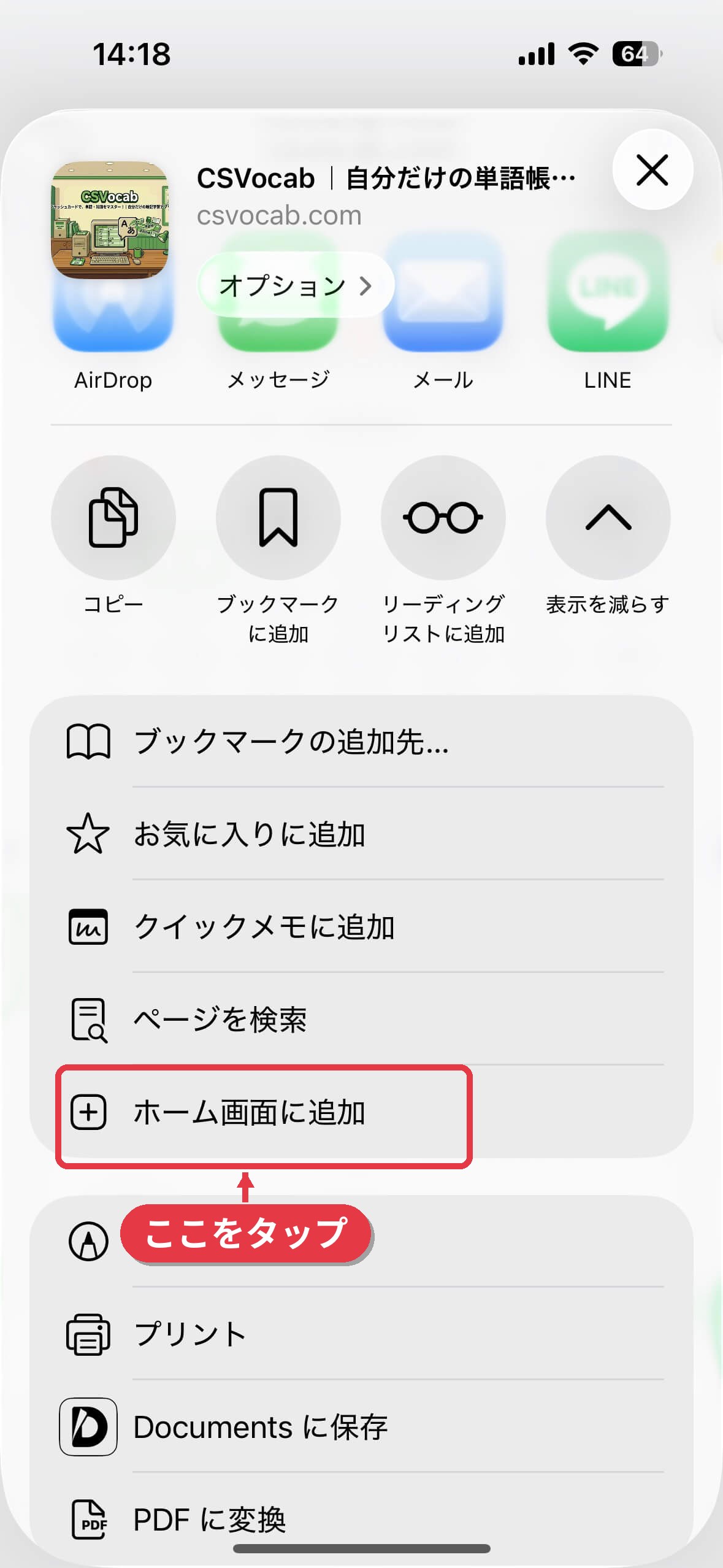
Scroll down in the share menu and tap "Add to Home Screen".

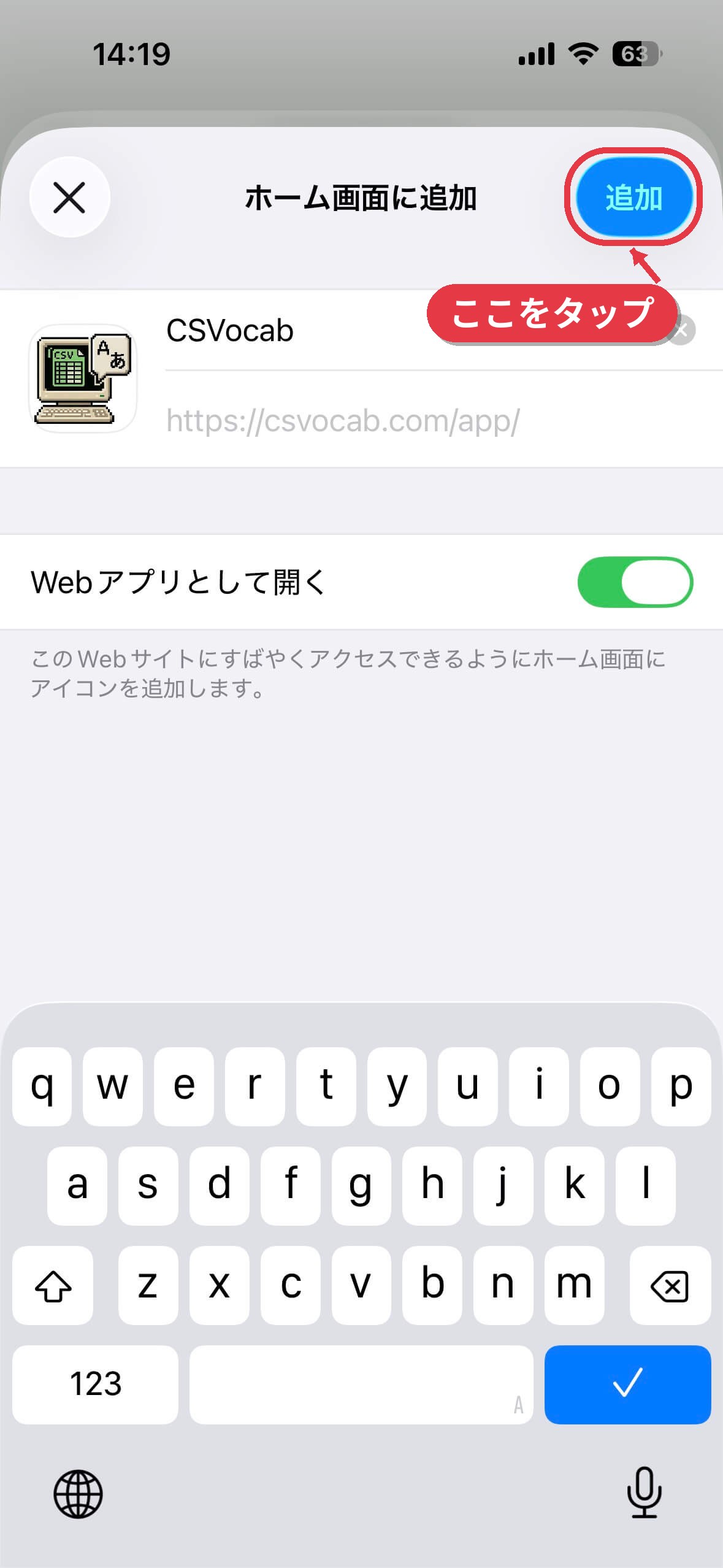
Keep the name as "CSVocab". We recommend leaving "Open as Web App" turned on.

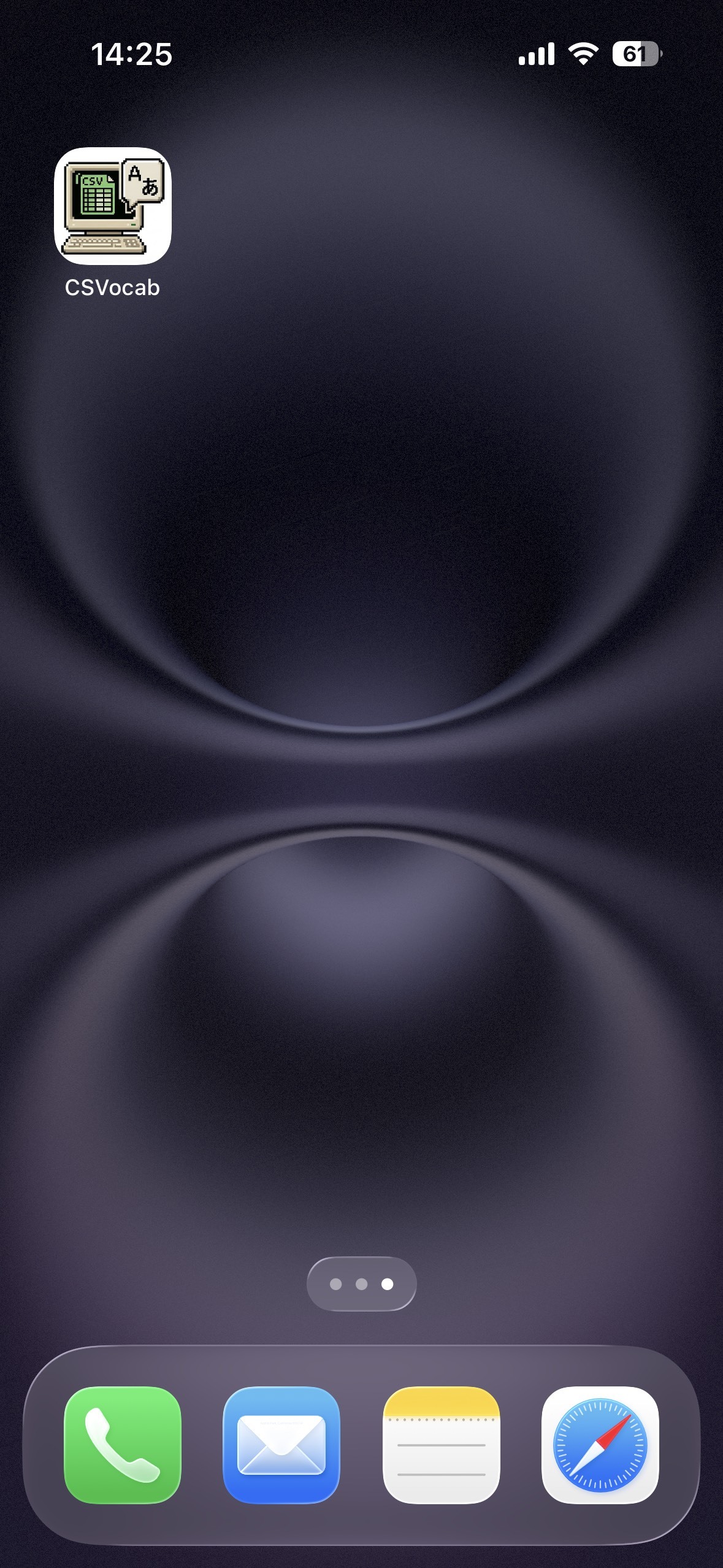
The icon is now on your home screen. Tap it to open CSVocab fullscreen.
Opened from X, LINE, Instagram or another app?
"Add to Home Screen" won't appear there. Open csvocab.com/app in Safari instead.
On Android?
Open csvocab.com/app in Chrome, tap the menu (⋮) at the top right, and choose "Add to Home screen". The steps are nearly identical.
Everyone memorizes differently. Pick the approach that sticks for you.
Sort cards into "know it" or "don't know yet." Simple gestures, quick pace.
Just pick from four. Nothing grinds to a halt when a word refuses to come to you, so it still works on the days you have nothing left.
Type the word from its meaning. Writing by hand (well, by keys) makes it stick far better than just looking.
Listen to the spoken word, then answer with the spelling or meaning. Perfect for commuting with headphones.
See the whole deck in a two-column list. Cover a column and self-test at your own pace. Search and editing live here too.
There's no system to hold your decks or your study records in the first place. Your study data reaches a server only when you switch a feature on yourself. CSVocab treats "safe to keep using" as seriously as the features themselves.
Pricing, installation, making a CSV, where your data lives — the things people ask before they start.
Yes. Every feature is free and there are no ads. It is an independent, non-commercial web app.
No. Just open csvocab.com/app/ in your browser. On a phone, use "Add to Home Screen" to launch it from an icon like a native app.
One line per card: "question,answer". Copy-pasting from Excel or Google Sheets works too. The fastest way is to ask ChatGPT or Gemini for a CSV of the words you need and paste the output as is.
No account, no install: paste text and start studying immediately. One deck can be studied in five modes (cards, multiple choice, typing, listening, review list), and your data is stored on your device rather than on a server.
Yes. After you open it once, you can keep studying without a connection. Adding it to your home screen makes offline launch reliable.
Absolutely. History dates, exam terminology, Korean or Chinese vocabulary, math formulas — anything that fits a question-and-answer shape. Text-to-speech supports languages other than English as well.
Everything is stored in your browser on your device and never sent to a server. To move to a new phone or use another device, use the export feature or the optional Google Drive sync.
Yes. CSVocab turns plain "question,answer" text into your own deck, so it works as a flashcard maker. You can add or edit cards one by one later, and add images too. The deck you make can be studied right away in card, multiple-choice, typing, and listening modes, and can also be printed.
Yes. It runs in any desktop browser on Windows or Mac. You can type on a keyboard or paste a table straight from Excel or Google Sheets to make a deck. To study a deck you made on a computer on your phone, use the export feature or Google Drive sync.